

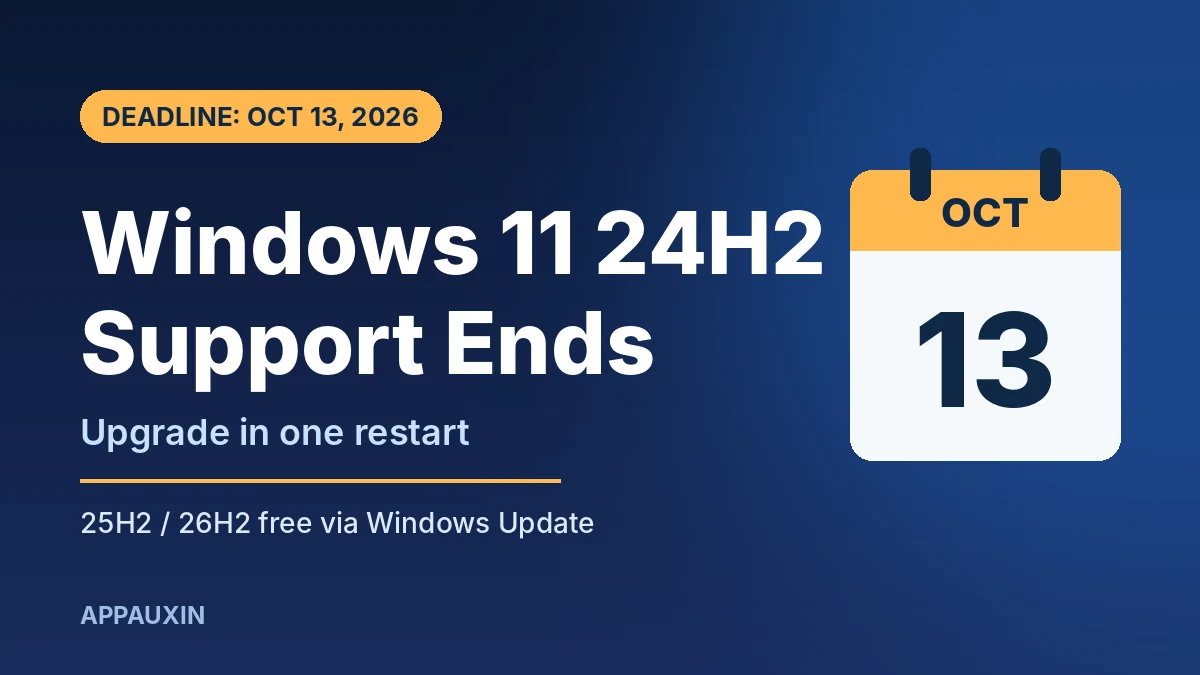
If your PC still runs version 24H2, you have one week left. Windows 11 24H2 end of support for Home and Pro hits on October 13, 2026, and that day’s Patch Tuesday is the last security fix you’ll get. The good news: moving to a supported version takes a 174KB download and one restart for most people.
Here’s the short version before we get into the details.
- Deadline: October 13, 2026 for Windows 11 24H2 Home and Pro.
- Enterprise and Education: 24H2 keeps getting updates until October 12, 2027.
- The fix: Upgrade to 25H2 or the new 26H2, both free through Windows Update.
- How big: A tiny enablement package and a single restart if you’re on a recent cumulative update.
- If you wait: Microsoft says it can start moving eligible home PCs to a supported version automatically.
What Windows 11 24H2 End of Support Means for Your PC
Nothing breaks on October 14. Your PC will boot, your apps will open, and your files stay right where they are. What stops is the flow of fixes.
According to Pureinfotech, which cites Microsoft’s own release notes, an unsupported 24H2 install stops getting security updates, bug fixes, time zone updates, preview updates, and technical support. That first one is the big deal.
Patch Tuesday regularly closes holes that attackers are already using. In September alone, Microsoft patched two actively exploited zero-days, as we covered in our September 2026 Patch Tuesday breakdown. A PC that misses those patches stays open to the next round of attacks.
Check Your Windows Version in 30 Seconds
Before you do anything, find out which version you’re actually on. Plenty of PCs already moved to 25H2 quietly over the past year.
Here’s the fastest way to check:
- Press
Win + R, typewinver, and hit Enter. - Look at the first line. It will say “Version 24H2,” “25H2,” or “26H2.”
- The build number tells you too: 26100 is 24H2, 26200 is 25H2, and 26300 is 26H2.
If you see 25H2 or 26H2, you’re covered and can stop here. If you see 24H2, keep reading.
How Long Each Windows 11 Version Gets Updates
Microsoft gives each yearly release 24 months of support on Home and Pro, and 36 months on Enterprise and Education. This table shows where every current version stands.
| Version (build) | Home & Pro support ends | Enterprise & Education support ends |
|---|---|---|
| 23H2 (22631) | Already ended (Nov 11, 2025) | Nov 10, 2026 |
| 24H2 (26100) | Oct 13, 2026 | Oct 12, 2027 |
| 25H2 (26200) | Oct 12, 2027 | Oct 10, 2028 |
| 26H2 (26300) | Oct 2028 | Oct 2029 |
The takeaway is simple. Jumping straight to 26H2 buys you roughly two more years of updates than 24H2, and a full extra year over 25H2.
The Fastest Upgrade: Windows 11 26H2 in One Restart
Microsoft made Windows 11 26H2 generally available on September 29 as build 26300.9550. If you read our earlier look at what 26H2 brings, you already know it’s a quiet, stability-first release.
That quietness works in your favor here. Because 24H2, 25H2, and 26H2 share the same code, the upgrade arrives as an enablement package (KB5121794). It just switches on features your PC already downloaded through monthly updates.
Follow these steps to grab it:
- Open Settings > Windows Update.
- Turn on “Get the latest updates as soon as they’re available.”
- Click “Check for updates,” then “Download and install” on the 26H2 offer.
- Restart when asked. Most PCs finish in a few minutes.
One catch: the small package needs the September 22 update, KB5124010, or anything newer installed first, per IT-Connect. If Windows Update offers that first, install it, restart, and check again.
When the Upgrade Doesn’t Show Up
Rollouts are staggered, so not every PC sees the offer on day one. Microsoft also uses “safeguard holds” to block the upgrade on hardware or driver combos with known problems.
If you’re stuck, try these in order:
- Install pending updates first. Clear every cumulative and driver update, then reboot.
- Use the Media Creation Tool. Microsoft offers 26H2 media for a manual in-place upgrade that keeps your files and apps.
- Settle for 25H2. If 26H2 is held back, 25H2 is still supported until October 2027.
If a safeguard hold is blocking you, forcing the install around it is usually a bad idea. It’s there because something on your PC is known to misbehave.
Two groups follow different rules. PCs still on 23H2 need a full upgrade, which is a bigger download and a longer install. And newer Arm laptops shipping with 26H1 run on a separate core and won’t move to 26H2, according to Windows Latest.
Frequently Asked Questions
Will my PC stop working after October 13, 2026?
No. Windows 11 24H2 keeps running normally. It just stops getting security patches, bug fixes, and support, which makes it riskier to use online over time.
Is upgrading from 24H2 to 26H2 free?
Yes. Both 25H2 and 26H2 are free through Windows Update for any PC already running Windows 11.
Will upgrading delete my files or apps?
No. The enablement package only flips on features that are already on your PC, so your files, apps, and settings stay put. A backup is still smart before any OS change.
Should I pick 25H2 or 26H2?
Pick 26H2 if Windows Update offers it. It’s the same core as 25H2 but gets an extra year of support, lasting until October 2028 on Home and Pro.
Does this affect Windows 10?
No. This deadline only covers Windows 11 version 24H2. Windows 10 follows its own support timeline.
Our Take: Do It This Week, Not Next Month
This is about as painless as a Windows deadline gets. You’re looking at a few minutes and one reboot, with no new layout to learn and no big feature shake-up. Go straight to 26H2 if it’s offered, fall back to 25H2 if it isn’t, and get it done before October 13 so your PC doesn’t miss a single security patch. Waiting for Microsoft to push it on you just means it’ll happen at a less convenient moment.
Leave a Reply